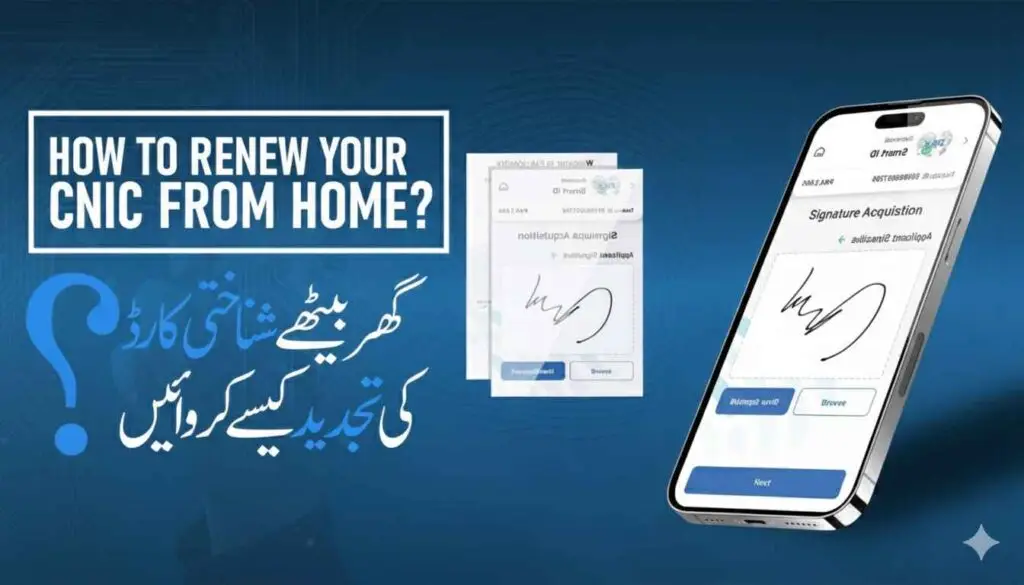
Here is a step-by-step guide on how to successfully apply for a CNIC modification and renewal through the Pak ID Mobile App:
Step 1: Start a New Application
- Log In: Log into the Pak ID App using your verified credentials.
- Select Service: Navigate to the “Identity Documents (شناختی دستاویزات)” section on the main dashboard.
- Choose CNIC: Select the “ID Card (شناختی کارڈ)” option.
- Application Type: Select the type of application you require:
- Renewal (تجدید): For expired cards.
- Modification (ترمیم): For changing details like address or name.
- Duplicate/Lost (ڈوپلیکیٹ/گمشدہ): For reissuance of a lost or damaged card.
- Choose Card Type: Select the card you need (e.g., Smart NIC).
- Processing Priority: Choose your desired processing category: Normal, Urgent, or Executive. This selection determines the fee and the delivery timeline.
Step 2: Fill Out Application Forms
You will be guided through a series of screens to fill in or confirm your personal and identity details.
- Personal Information: Review and confirm your existing personal details (name, father’s name, date of birth, etc.). If you chose Modification, update the necessary fields.
- Address Details: Enter your current permanent and present addresses.
- Supporting Documents: The app will specify which documents are required for your chosen application type (e.g., proof of marriage for status modification, or original CNIC scan for renewal).
- Upload Documents: Use your phone’s camera to capture a clear image of the required documents or upload existing high-quality scans from your device.
Step 3: Biometric and Data Capture
This step use the mobile app’s advanced features for data capture.
- Photograph Capture: Follow the on-screen instructions to capture a new, ICAO-compliant photograph using your phone’s camera (plain background, face centered).
- Fingerprint Capture (Self-Service):
- The app may guide you through a method to capture your fingerprints using your mobile camera for self-service verification.
- Signature Capture: Sign directly on your mobile screen using your finger or a stylus to capture your digital signature.
Step 4: Attestation and Review
- Attester Requirement: For renewal or modification applications, you might need an Attester (a close relative or government official) to verify your application.
- Attester Verification (Digital):
- Enter the Attester’s CNIC and mobile number.
- The system sends an OTP (One-Time Password) to the Attester’s phone.
- The Attester enters the OTP into their own Pak ID app or a designated verification portal to digitally attest to your identity, eliminating the need for a physical visit.
- Final Review: Carefully review the complete application summary, ensuring all information is accurate and matches your supporting documents.
Step 5: Fee Payment and Submission
- Fee Calculation: The app will display the final fee based on your chosen priority (Normal, Urgent, or Executive) plus the applicable delivery charges.
- Payment: Select your preferred payment method (Credit/Debit Card, Easypaisa, or JazzCash).
- Process Payment: Complete the secure payment transaction.
- Submission: Once payment is successful, click “Submit” to formally send your application to NADRA.
Step 6: Tracking and Delivery
- Tracking: You can track the status of your application in the “Applications (درخواستیں)” section under “Under Process Applications (زیر عمل درخواستیں)”.
- Delivery: Once the application is approved and the card is printed, it will be delivered to your provided address via courier service within the timeframe associated with your chosen priority (e.g., 9 days for Executive).
Fee Structure for Renew ID Card
Applying for the renewal, modification, or replacement of your National Identity Card (CNIC) through the NADRA Pak ID Mobile App is a quick, digitized process. The fee structure is designed to offer flexibility based on how quickly you need your new card delivered.
The fee is calculated based on the type of card (Smart NIC or older CNIC) and the chosen processing priority (Normal, Urgent, or Executive).
1. Fee Structure for Smart NIC Renewal
The Smart NIC (SNIC) is the current standard identification card. The fees listed below apply to applications for Renewal, Modification, Duplicate/Lost, and Fresh issuance (where applicable on the app) for applicants within Pakistan.
| Categories/Type | Processing Fee (PKR) | Estimated Processing Timeline |
| Normal | PKR 750 | 31 days |
| Urgent | PKR 1,500 | 15 days |
| Executive | PKR 2,500 | 9 days |
Note: The processing timeline starts after the NADRA case officer has approved the case and the fee has been successfully paid.
2. Inland Fee Structure for Older CNIC Renewal
If you are renewing the older, non-Smart Computerized National Identity Card, the fees are generally lower:
| Categories/Type | Processing Fee (PKR) | Estimated Processing Timeline |
| Normal | PKR 400 | 15 days |
| Urgent | PKR 1,150 | 12 days |
| Executive | PKR 2,150 | 6 days |
3. Overseas (NICOP) Fee Structure (Example)
For overseas applicants renewing their Smart NICOP (National Identity Card for Overseas Pakistanis), the fee is charged in USD and varies by geographical zone (Zone A/B) and processing type.
| Category/Type | Zone A Fee (USD) | Zone B Fee (USD) |
| Normal | $39 | $20 |
| Urgent | $57 | $30 |
| Executive | $75 | $40 |
4. Payment Methods through Pak ID App
The Pak ID app offers multiple convenient methods for secure fee submission:
- Credit/Debit Card: Direct payment using Visa or Mastercard.
- Mobile Wallets: Payment integration with popular local wallets like Easypaisa and JazzCash.
- e-Sahulat: You can generate a payment ID within the app and then visit any authorized e-Sahulat franchise to pay the fee in cash.
- Bank Transfer: For some overseas applications, direct bank transfer to NADRA’s designated online account may be required.
5. Important Payment Notes
- Exclusions: The fees listed above are the processing charges only. They are exclusive of delivery charges, which are usually around $1.00 USD for delivery within Pakistan and vary for international delivery based on the destination country.
- Payment Timing: For some applications (like Modification or Cancellation), you might be instructed to submit the application first. After approval by a NADRA case officer, you will be notified via email or within the app to pay the required fee. For others (like Renewal), payment is typically made before submission.
- Cancellation Fee: CNIC Cancellation due to the death of a family member is Free of Cost.
The use of the Pak ID App simplifies the process of fee payment, allowing applicants to complete the entire renewal process from home. Renew Your CNIC from Home | Use Pak ID Mobile App is a helpful video that shows how to use the app for CNIC renewal without visiting a center.